
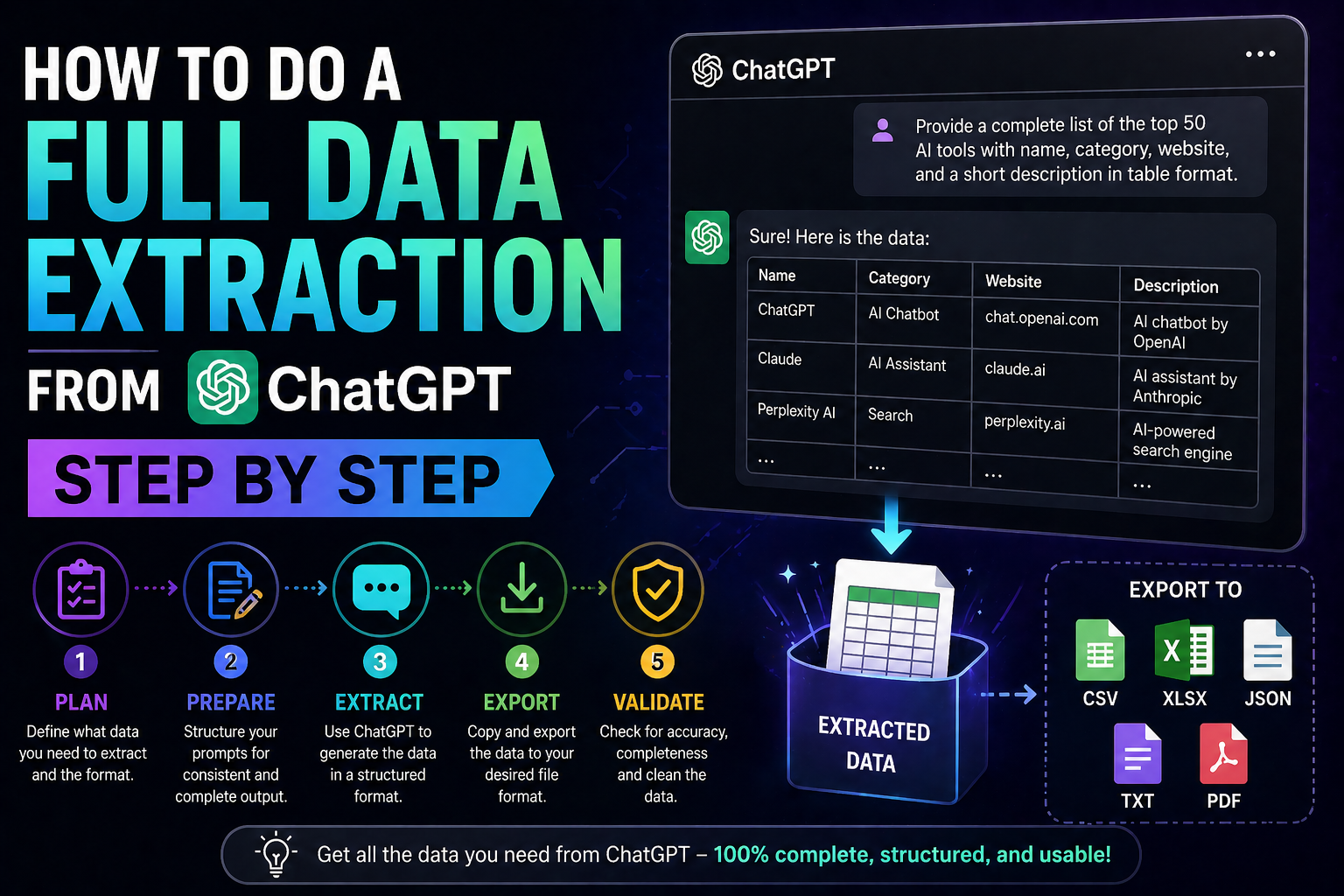
How to Do a Full Data Extraction from ChatGPT Step by Step
Ever thought about what would happen to your business if your AI platform went down? Many business owners see their digital chats as just temporary. But these logs hold critical strategic insights and secret workflows.
Knowing how to move your data around is key for today’s small business owner. By learning to extract all data from chatgpt, you turn fleeting talks into valuable, secure business assets you control.

Keeping your data safe means your progress stays protected. We’ll show you how to get back your history. This way, your business stays strong and free from any one service.
Key Takeaways
- Understand why data portability is essential for long-term business security.
- Learn the specific steps to export your conversation history effectively.
- Discover how to treat AI interactions as permanent, searchable business intelligence.
- Gain independence by maintaining local backups of your proprietary workflows.
- Protect your strategic insights against potential platform outages or account restrictions.
Understanding the Importance of ChatGPT Data Extraction
Starting your AI journey means taking control of your digital past. Many see their chats as short-lived. But chatgpt data extraction links casual use to serious business benefits.
Keeping your data locally shields your business from server failures or data loss. You shouldn’t rely only on a third-party server for key insights. Taking ownership of your data keeps your work safe, no matter what changes happen.
Regular chatgpt data extraction also aids in long-term research and meets legal needs. If your business is in a regulated field, having a detailed record of AI chats is crucial for audits. This turns your chat logs into a reliable knowledge base for your team.
Your data is a key part of your digital setup. By focusing on chatgpt data extraction, you’re not just saving text. You’re safeguarding the intellectual property that drives your work. Empower your business by protecting your AI history as you would your financial records.
Preparing Your Account for Data Export
Getting ready for data extraction from ChatGPT needs some planning. A quick check of your account before starting is key. This makes sure your data is safe and meets your business needs.
Verifying Account Credentials and Security Settings
First, make sure your login details are current. Security is crucial when moving your chat history. This history might hold important business info or new ideas.
It’s a good idea to turn on two-factor authentication (2FA) if you haven’t already. This extra step helps keep your data extraction from ChatGPT safe from unwanted access during the whole process.
“Data is a precious thing and will last longer than the systems themselves.”
— Tim Berners-Lee
Identifying the Scope of Data You Need
You don’t need to save every chat. Think about which conversations are most important for your work.
Official exports keep the context of your chats, making them great for keeping long-term. Use the table below to plan what to save. This way, you get exactly what you need for your records.
| Data Category | Priority Level | Action Required |
|---|---|---|
| Client Strategy Logs | High | Verify and Export |
| General Brainstorming | Medium | Review for Relevance |
| System/Admin Chats | Low | Archive or Delete |
Sorting your history helps avoid the trouble of going through useless info later. A clean data extraction from ChatGPT makes it easier to use in your business tools.
Navigating the OpenAI Settings Menu
If you’re ready to extract data from ChatGPT, the settings menu is where you start. The interface might seem complex at first, but it’s made to be easy to use. We’ll show you how to find what you need quickly and easily.
Locating the Data Controls Section
First, log in to your account and find your profile icon. It’s usually in the bottom-left corner of the screen. Click it to open a menu and choose “Settings.” Then, go to the “Data Controls” tab on the left sidebar.
This area is where you manage your account’s data. It has all the tools you need for data extraction from ChatGPT. This way, you can keep track of your digital interactions easily.
Understanding Privacy and Export Options
Privacy settings and the export function are different. Privacy settings let you control things like chat history and training preferences. The export option, on the other hand, lets you download your history in one go.
When you export your data, it takes time. It can take up to 7 days to process. You’ll get an email when your archive is ready for download, so you don’t have to keep checking.
| Feature | Purpose | Action Required |
|---|---|---|
| Privacy Settings | Manage ongoing data usage | Toggle switches |
| Data Export | Retrieve full history | Request via email |
| Processing Time | System compilation | Wait up to 7 days |
Knowing the difference between privacy settings and data export helps you manage your data extraction from ChatGPT better. With this knowledge, you can plan your work more efficiently and keep your business running smoothly.
Executing the Official Data Export Process
You’re ready to get your personal data archive from OpenAI servers. Extracting data from chatgpt is a safe, automated way to get your chat history. Just follow these steps to get your records easily.
Requesting Your Data Archive
First, go to your account settings and find the data controls menu. Look for “Export data” to start getting your full history.
After you confirm, the system starts making your logs into one package. This happens on the server side, so you can close your browser window.
Managing Email Notifications for Export Completion
OpenAI will send an email when your archive is ready. It’s very important to check your inbox, including spam, for this email.
If you don’t see the email, check if your account email is up to date. Checking for this email quickly helps you avoid any issues when extracting data from chatgpt.
Downloading the Compressed Data File
The email will have a link to download your data. Remember, this link is only good for 24 hours for your safety.
Clicking the link will start downloading a ZIP file with your chat logs. Save this file in a safe place on your computer or cloud storage right away.
| Action Step | Timeframe | Key Requirement |
|---|---|---|
| Initiate Export | Immediate | Account Access |
| Receive Email | Varies | Active Inbox |
| Download File | Within 24 Hours | Secure Storage |
Analyzing the Structure of Extracted ChatGPT Files
Understanding your exported archive is key to turning data into useful business insights. When you extract data from ChatGPT, you get a ZIP file with different formats for various uses. Knowing how to use these files helps you create a searchable, professional knowledge base for your company.
Decoding JSON Files and Conversation Logs
In your downloaded folder, you’ll find HTML and JSON files. HTML files are great for quick reads, showing conversations in a clean format. But, JSON files are more powerful for detailed analysis.
JSON files hold the raw data of your chat history. They include every message and detail in a format that machines can read. By extracting data from ChatGPT this way, you can import your history into databases or tools for deeper analysis.
Interpreting Metadata and Timestamps
Every conversation log has metadata that adds context to your interactions. You’ll see unique message IDs and exact timestamps for each entry. These are crucial for tracking your projects’ progress over time.
Understanding these timestamps helps you see when ideas were created or workflows updated. Consistency in data management starts with these details. When you get these logs, you can filter your history by date or project phase.
Organizing Your Exported Data Folders
Organizing your files right after downloading is important. Group your files by project name or year to avoid mess. This simple step makes finding important information easy without digging through many files.
| File Format | Primary Use | Best For |
|---|---|---|
| HTML | Human-readable logs | Quick reference and review |
| JSON | Structured data logs | Advanced analysis and automation |
| CSV | Spreadsheet data | Trend tracking and reporting |
Organizing your files well turns raw exports into a valuable asset. Whether for personal or business use, a structured approach saves time. Begin categorizing your archives today for a clean digital workspace.
Methods for How to Do a Full Data Extraction from ChatGPT
There are many chatgpt data extraction methods to help you get what you need. You don’t need a huge amount of data to find what you’re looking for. The right method depends on your business needs and how much data you handle.
Manual Copy-Paste Techniques for Specific Threads
For quick tasks, copying and pasting is easy. Just highlight the text, copy it, and paste it into your document or tool.
This method is great for getting specific insights. It’s simple and lets you control what you save.
Utilizing Browser Extensions for Bulk Exporting
Browser extensions are better for big amounts of data. They help with chatgpt data scraping, making it easy to get lots of conversations at once.
These tools support many formats like PDF, Markdown, and TXT. This makes your data easy to use in your business without extra work.
Leveraging API Access for Programmatic Extraction
API access is best for big, complex data needs. It’s great for businesses that want to use AI logs in their systems or analytics.
This method needs some tech know-how but offers great scalability. It automates data retrieval, keeping your records up to date.
| Method | Best For | Technical Level | Automation |
|---|---|---|---|
| Manual Copy-Paste | Single threads | Beginner | None |
| Browser Extensions | Bulk history | Intermediate | Moderate |
| API Access | Large-scale data | Advanced | High |
Cleaning and Formatting Your Extracted Data
Turning your chat history into something you can read is key to unlocking its value. Chatgpt data extraction methods give you lots of info, but the raw JSON files need work. You must clean this data to make it useful for your business.
Converting JSON to CSV or Excel Formats
JSON files can be hard to work with without special tools. Changing them to CSV or Excel makes it easier to sort and analyze your chats. You can use tools like Microsoft Excel or Google Sheets for this.
If you prefer documents, you can use Python scripts to change your JSON files into Markdown, Word, or PDF.
“Data is a precious thing and will last longer than the systems themselves.”
— Tim Berners-Lee
Standardizing your file types makes chatgpt data mining easier for your team. Here’s a table showing the best formats for different needs:
| Format | Best Use Case | Accessibility |
|---|---|---|
| CSV | Data Analysis | High |
| Excel | Reporting | High |
| Archiving | Medium |
Removing Redundant System Messages
Your export will have many system messages that don’t add value. These messages repeat the same info over and over. Removing these is important for cleaning your data.
By focusing on real user-AI chats, your insights will be sharper. This process also makes your data smaller and faster to work with.
Standardizing Date and User Information
Consistency is crucial for reliable data. Make sure all dates are in the same format, like YYYY-MM-DD. This prevents errors when sorting. Also, standardizing user labels helps track conversations over time.
Using these chatgpt data extraction methods in your workflow sets a solid foundation for growth. Proper formatting turns your raw logs into a valuable asset for making better business decisions.
Best Practices for ChatGPT Data Analysis
Your exported chat history is more than just a backup. It’s a goldmine of operational insights waiting to be discovered. By using your data, you can improve your daily business efficiency. Effective chatgpt data analysis shows how you rely on AI to solve complex problems.

Identifying Trends in Your Conversation History
The JSON files you extracted contain valuable metadata. They include precise timestamps for every interaction. You can use these markers to calculate your usage frequency, such as the number of chats per day or peak hours of activity. Tracking these trends helps you understand when you are most dependent on AI for decision-making.
Look for recurring themes in your prompts to see which business areas consume the most time. If you notice a high volume of requests related to email drafting or data entry, you have identified a prime candidate for further automation. This proactive approach turns your history into a roadmap for future productivity.
Using Data Visualization Tools for Insights
Raw logs can be difficult to interpret at a glance. Importing your data into visualization tools is a smart move. Platforms like Microsoft Power BI, Tableau, or even simple Excel dashboards can transform your logs into clear charts. Visualizing your data makes it easier to spot clusters of topics that generate the most value for your company.
You might create a heat map showing which days of the week require the most AI assistance. This level of clarity helps you allocate your resources more effectively. When you see your habits laid out visually, you can make data-driven decisions to optimize your workflow.
Applying Sentiment Analysis to Chat Logs
You can also apply basic sentiment analysis to your chat logs. By categorizing responses as positive, neutral, or negative, you can identify which prompts lead to the most helpful outcomes. This form of chatgpt data analysis reveals if your current prompting style is hitting the mark or causing unnecessary friction.
If certain topics consistently result in frustrated or repetitive exchanges, it may be time to refine your instructions. Understanding the emotional tone of your AI history ensures that your future interactions remain professional and highly productive. By analyzing these patterns, you ensure that your AI tools continue to serve your business goals effectively.
Automating Future Data Collection Workflows
To grow your business, you need to move away from manual tasks. These tasks take up time that could be used for growth and strategy. A strong chatgpt full data extraction plan keeps your data ready without needing constant manual work.
Setting Up Periodic Export Reminders
Keeping data consistent is key. By setting up monthly exports, you ensure your data stays current. We suggest setting a recurring alert to start your chatgpt data collection at the beginning of each month.
This habit stops data loss and keeps your records fresh. It makes a big task easier for your team. It turns a hard task into a simple, regular business job.
Integrating ChatGPT Logs with Business Intelligence Tools
After collecting data, the next step is to make it useful. You can add your exported files to tools like Power BI or Tableau. This lets you see trends, track feelings, and find common customer issues automatically.
Connecting your chat history to these tools gives you a clearer picture of your business. You don’t have to guess what your audience wants anymore. The data tells you directly. This level of insight is usually for big companies, but it’s now available to you.
Creating Automated Backups for Small Business Efficiency
Working smarter means automating tasks. Making automated backups for your chat logs keeps your ideas safe and ensures your business keeps running. Standardizing your storage reduces the chance of losing important info during updates or changes.
The table below shows why moving to automated workflows is key for your success:
| Feature | Manual Process | Automated Workflow |
|---|---|---|
| Time Investment | High (Weekly) | Low (Set and Forget) |
| Data Accuracy | Prone to Error | High Consistency |
| Scalability | Limited | Highly Scalable |
| Risk of Loss | Significant | Minimal |
Security and Privacy Considerations for Extracted Data
When you take your chat history off the platform, you’re in charge of keeping it safe. The ease of chatgpt data collection is great, but you must protect these files like they’re your most valuable assets. If you don’t keep them secure, you risk sharing important info with the wrong people.
Encrypting Your Local Data Archives
Keeping text files on your computer or cloud is risky. Always encrypt your folders to keep your data safe, even if your device gets hacked.
- Use strong encryption tools like VeraCrypt or BitLocker to lock your files with a password.
- Don’t store unencrypted logs on public cloud services unless you’ve turned on client-side encryption.
- Change your master passwords often to keep your chatgpt data mining efforts secure.
Managing Sensitive Information Within Chat Logs
Before archiving, check your logs for any sensitive info. It’s easy to share personal details during brainstorming.
Look for keywords like “account number,” “password,” or client names before storing. Cleaning your logs helps keep your data safe and organized for later use.
Compliance with Data Protection Regulations
You might wonder about data handling once it leaves OpenAI. OpenAI says they don’t use personal data to improve their models, which is reassuring.
But if you work in a regulated field, you need to follow laws like GDPR or CCPA. Keeping a detailed record of how you handle data is key to staying compliant. By doing this, you can use chatgpt data mining effectively while keeping your business safe and professional.
Troubleshooting Common Extraction Issues
Even the best workflows can face problems during data export. Chatgpt data extraction is easy to use, but sometimes technical issues pop up. Stay calm and follow a step-by-step plan to solve these small problems fast.
Resolving Failed Download Links
Getting an error when you click the download link? It’s often because the token has expired. These links are temporary for security reasons.
If the link doesn’t work, go back to the settings menu. Ask for a new export there. This will create a new, working link for you to download your files.
Handling Large File Sizes and Memory Limits
Big conversation histories can make export files huge. If your computer can’t open them, it’s likely a memory issue, not a bad download.
Use a file decompression tool to unpack the files first. For chatgpt data scraping or manual analysis, split large JSON files into smaller parts. This helps avoid system crashes.
Addressing Formatting Errors in Exported Files
Sometimes, the data might not fit with your analysis software. This often happens with special characters or emojis in chat logs.
To fix it, make sure your software uses UTF-8 encoding when importing files. If problems continue, use a script or data cleaning tool. This will remove non-standard characters, making your data clean for insights.
Conclusion
By taking control of your digital history, you turn raw logs into a valuable asset. You now have the skills to protect your conversations and use them for better decision-making.
Regular data management helps you improve your workflows and make smarter choices. Keeping your chatgpt data up to date ensures your business stays competitive. This keeps you ahead in a fast-changing market.
Your chat history holds secrets waiting to be found. Spend time reviewing it to find new ways to work better. This will help you grow your business with confidence.
You have the tools to manage your data like a pro. Start building your data repository today. Your focus on organized data will help your business grow with AI.
FAQ
What are the primary chatgpt data extraction methods available to business owners?
You can use the official OpenAI export tool for a comprehensive archive, manual copy-pasting for quick saves, or browser extensions like “Save ChatGPT” for bulk scraping. For those with technical skills, the OpenAI API offers the most robust programmatic data collection.
How long does a chatgpt full data extraction usually take to process?
The time it takes depends on your usage history. Small accounts might get an email link quickly, but power users with lots of threads could wait hours for OpenAI to prepare the ZIP file.
Can I perform chatgpt data mining on my history to improve my business prompts?
Absolutely. By extracting your data into CSV or Excel, you can see which prompts work best. This helps you create a “Prompt Library” of effective instructions.
Is data extraction from chatgpt secure for sensitive business information?
The extraction process itself is secure, but you must protect your data once it’s on your machine. Use encryption tools and audit logs for sensitive client data to stay compliant with privacy laws.
Which file formats are included in a standard chatgpt data collection export?
The official export includes an HTML file for easy reading and a JSON file for structured analysis and integration into other tools.
What should I do if my chatgpt data scraping tool fails to capture certain threads?
If a third-party extension fails, use the official OpenAI export method. It’s the only way to ensure a complete record of your interactions.
