
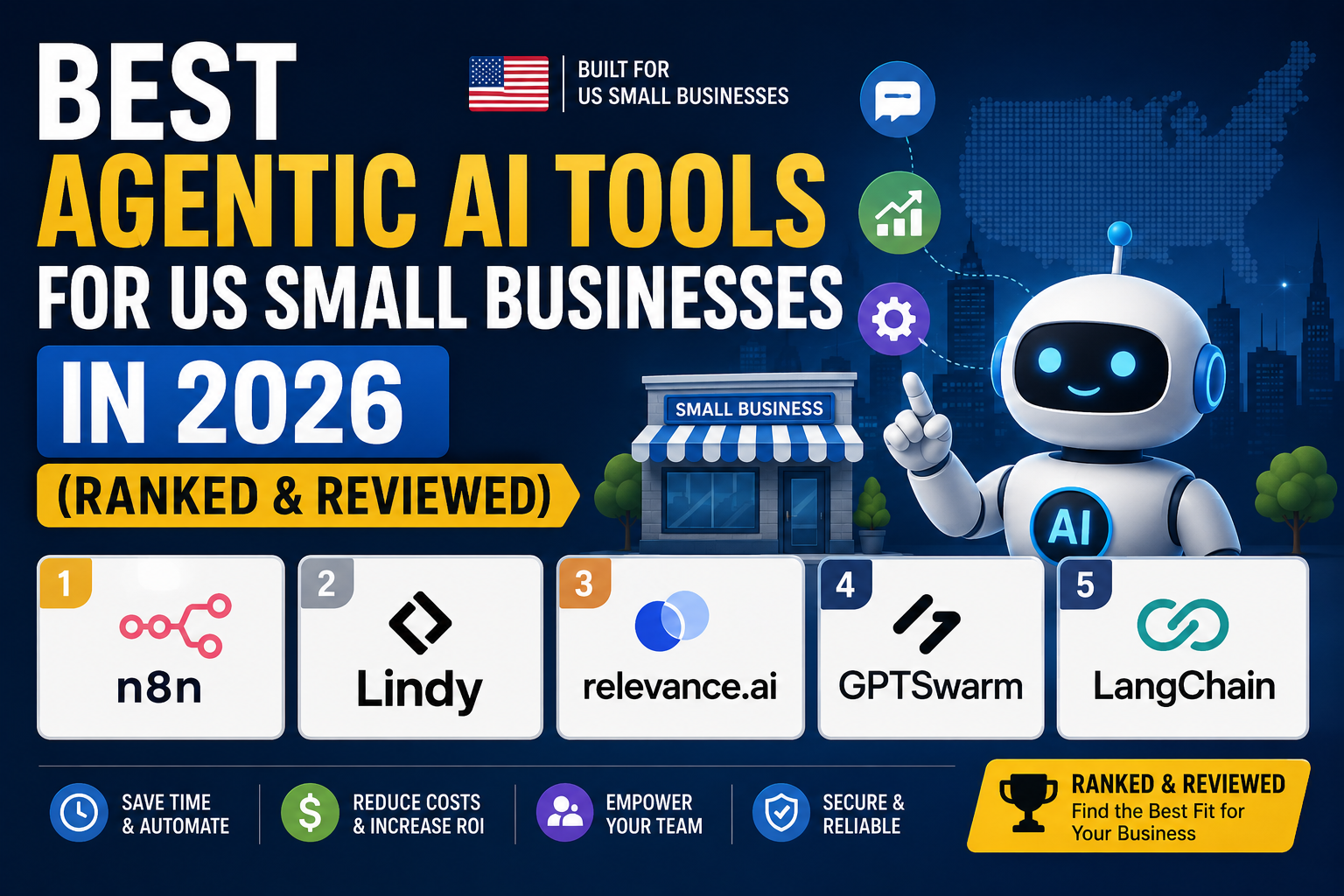
Best Agentic AI Tools for US Small Businesses in 2026 (Ranked & Reviewed)
Let’s cut straight to the chase: agentic AI is no longer just for Fortune 500 companies with six-figure tech budgets.
In 2026, a solo freelancer in Austin or a 10-person e-commerce shop in Ohio can deploy autonomous AI agents that handle lead follow-up, schedule meetings, draft emails, and sync CRM data — without hiring a developer or spending more than $50 a month.
But here’s the problem: almost every comparison guide online is written for enterprise teams. They compare tools on SSO support, SOC 2 compliance tiers, and API rate limits — things the average US small business owner doesn’t care about on day one.
This guide is different. We ranked and reviewed the four best agentic AI tools specifically for US-based small businesses, freelancers, agencies, and entrepreneurs. We looked at real pricing (including free tiers), setup complexity for non-technical users, and what you can actually build without writing a line of code.
Quick note: Agentic AI is different from regular automation (like basic Zapier Zaps). Traditional automation follows rigid rules — “if X happens, do Y.” Agentic AI reasons. It reads context, makes decisions, handles exceptions, and completes multi-step tasks without you holding its hand. That’s the shift that matters for small businesses in 2026.
What to Look for in an Agentic AI Tool as a Small Business
Before diving into the rankings, here’s what separates a genuinely useful agentic AI tool for small business from the noise:
1. No-code or low-code setup. You shouldn’t need to hire a developer to get your first agent running. The best tools let you describe what you want in plain English and handle the technical scaffolding automatically.
2. Transparent, predictable pricing. Many agentic AI platforms use credit-based models that can surprise you at the end of the month. Look for flat fees, clear usage limits, and free tiers that let you test before committing.
3. Integrations with tools you already use. An agent is only as useful as the apps it can connect to. Gmail, Google Calendar, HubSpot, Slack, Shopify — if your core stack isn’t covered, the agent is limited.
4. Sensible free tiers for testing. Small businesses shouldn’t pay $100/month before they’ve validated that a tool works for their use case. The best platforms offer meaningful free access, not just a 7-day trial.
5. Genuine autonomy, not just glorified Zaps. The tool should handle multi-step tasks with conditional logic — not just trigger one action when one thing happens.
Here’s a quick comparison before we get into the full reviews:
| Tool | Best For | Free Tier | Starting Price | Setup Difficulty |
|---|---|---|---|---|
| n8n | Technical founders & ops teams | ✅ Self-hosted (free) | $24/mo (cloud) | Moderate |
| Zapier Agents | Existing Zapier users | ✅ 100 tasks/mo | $29.99/mo | Easy |
| Lindy AI | All-in-one daily operations | ✅ 400 credits/mo | $19.99/mo | Very Easy |
| Relevance AI | Sales & marketing teams | ✅ 200 actions/mo | ~$19/mo | Moderate |
#1 n8n — Best for US Businesses That Want Full Control
If you want full ownership of your data and the flexibility to build almost any automated workflow imaginable, n8n is the most powerful option on this list.
n8n is an open-source workflow automation platform built around a visual node-based editor. Each “node” represents an action or integration — you drag, connect, and configure them to build agents that reason and act. Unlike most tools here, you can host n8n on your own server, giving you complete control over where your data lives.
What Makes n8n Genuinely Agentic
n8n integrates natively with LangChain and supports AI Agent nodes, which means you can build workflows where an AI model reads context, makes decisions, and routes tasks dynamically — not just execute linear if/then rules. For example, you could build an agent that:
- Monitors your inbox for inbound leads
- Checks your CRM to see if the sender already exists
- Drafts a personalized reply based on their inquiry type
- Creates a follow-up task in your project management tool
- Notifies your Slack only if the lead matches your ideal customer profile
That’s a five-step autonomous workflow with conditional logic — the kind of thing that would take a team of three to handle manually at volume.
n8n Pricing for US Small Businesses in 2026
This is where n8n gets interesting, and a little complex:
Community Edition (Self-Hosted) — Free forever. The open-source version has no licensing cost. You pay only for your server — typically $5–$30/month on a VPS like DigitalOcean or Hetzner. No execution limits, no workflow limits, unlimited users. This is the best value on the market for businesses with a technical co-founder or IT resource.
Starter (Cloud) — $24/month. Managed hosting, 2,500 executions per month, up to 5 active workflows. Good for testing in production, but most businesses outgrow it within a few months if they automate seriously.
Pro (Cloud) — $60/month. 10,000 executions per month, 15 active workflows. This is the cloud sweet spot for a small team running a handful of production workflows — CRM sync, lead routing, internal reporting.
Business (Self-Hosted) — $800/month. Overkill for most small businesses; this is for growing companies that need collaboration features, RBAC, and scale.
Important caveat: n8n counts whole workflow executions (start to finish), not individual steps. A 10-step workflow that runs 100 times = 100 executions. Competitors like Make.com charge per step, meaning the same workflow would cost 1,000 operations. At complex workflows, n8n is dramatically cheaper.
Who Should Choose n8n
✅ Technical founders or businesses with a developer on staff
✅ Businesses handling sensitive data who need self-hosted infrastructure
✅ Teams running complex, multi-step automations at high volume
✅ Anyone who wants maximum customization and no platform lock-in
❌ Not ideal if you’re completely non-technical and have no one to set it up
❌ Cloud plans with execution limits can surprise you if you don’t track usage
Verdict: n8n is the most powerful and most affordable option at scale — but it has a learning curve. If you have any technical resources at all, start here.
#2 Zapier Agents — Best for Businesses Already on Zapier
If your business already runs on Zapier — and tens of millions of US small businesses do — Zapier Agents is the lowest-friction path to agentic AI.
Zapier launched its Agents product as an upgrade on top of its existing automation infrastructure. Instead of building rigid “Zaps” (if this, then that), you now set goals and let the agent decide how to accomplish them using your connected apps. Your 7,000+ existing integrations are all available to the agent — meaning you can deploy agentic workflows without rebuilding your existing tech stack.
How Zapier Agents Works in Practice
Where a regular Zap says “when a new lead fills out this form, add them to HubSpot,” a Zapier Agent can reason about it: it can read the lead’s form response, check if they already exist in your CRM, classify their inquiry, draft and send a personalized reply, schedule a follow-up, and create an internal notification — all from one goal-based instruction.
The transition is surprisingly natural if you already think in terms of triggers and actions. You’re just adding a reasoning layer between them.
Zapier Pricing for Small Businesses
Free Plan: 100 tasks/month, two-step Zaps, basic features. Enough to test but not enough to run production workflows.
Professional — $29.99/month: Up to 750 tasks/month, unlimited Zaps, multi-step workflows with filters and paths. This is the entry point for serious small business use.
Team — $103.50/month: Shared workspace, up to 2,000 tasks/month, shared app connections. Better for small teams collaborating on automation.
Watch the task counting. Zapier counts each action step as a separate task, so a five-step workflow that runs 100 times costs 500 tasks — not 100. Budget accordingly, especially on the Professional plan.
Who Should Choose Zapier Agents
✅ Businesses already using Zapier who don’t want to migrate
✅ Non-technical owners who want the simplest onboarding experience
✅ Teams that rely on niche app integrations (Zapier has 7,000+)
✅ Businesses that need simple, reliable, predictable automations
❌ Per-step pricing gets expensive fast for complex, multi-step agentic workflows
❌ Less true “reasoning” capability than dedicated agentic platforms
Verdict: Zapier Agents is the easiest upgrade path for businesses already in the ecosystem. It won’t be the cheapest or most capable option at scale, but for simplicity and speed-to-value, it’s hard to beat.
#3 Lindy AI — Best All-in-One Agentic Platform
For non-technical small business owners who want to deploy AI agents across their entire business without touching code, Lindy AI is the most beginner-friendly, genuinely agentic platform in this guide.
Lindy lets you create AI agents — called “Lindys” — by describing what you want them to do in plain English. You don’t configure nodes, write logic, or set up webhooks. You say: “Monitor my inbox. When a lead emails, check our CRM. If they’re new, draft a personalized reply and add them to our pipeline.” And it builds the agent for you.
What makes Lindy genuinely agentic (not just an automation tool with AI branding) is its use of large language models — including Claude Sonnet 4.5 — to give agents real contextual reasoning. Agents don’t just route data; they read, understand, and respond to it.
What You Can Build with Lindy as a Small Business Owner
- Email triage agent: Reads every inbound email, categorizes it, drafts replies for review, and flags anything urgent
- Lead qualification agent: Monitors new form submissions, researches the company, scores the lead, and updates your CRM with a summary
- Meeting prep agent: Reads your calendar each morning and pulls context about each attendee — recent emails, notes, LinkedIn summary — into a daily brief
- Customer support agent: Handles inbound support messages, checks a knowledge base, and resolves common questions autonomously
- Daily research digest: Searches the web for industry news, competitor updates, or keyword mentions and emails you a summary
Lindy Pricing for US Small Businesses in 2026
Lindy uses a credit-based model. Here’s what that means in practice:
Free Plan — $0/month: 400 credits/month, ~400 tasks. Enough to run a few lightweight agents and validate whether the platform works for your use case.
Starter — $19.99/month: 2,000 credits/month. Good for a solopreneur running 2–3 active agents on basic tasks (email triage, calendar management, simple lead routing).
Pro — $49.99/month: 5,000 credits/month. The right tier for a small business running multiple agents across sales, ops, and support workflows simultaneously.
Business — $299.99/month: 30,000+ credits/month. For teams running Lindy as a core operational layer at volume.
Credit burn warning: Credits are not consumed equally. Basic tasks (routing, scheduling) cost 1–3 credits. Complex tasks using large AI models (GPT-5, Claude Sonnet) cost up to 10 credits each. Monitor your usage in the first two weeks before scaling up workflows.
Lindy Pricing for US Small Businesses in 2026 — Full Breakdown
| Plan | Monthly Cost | Credits | Best For |
|---|---|---|---|
| Free | $0 | 400 | Testing the platform |
| Starter | $19.99 | 2,000 | Solo operators, 2–3 agents |
| Pro | $49.99 | 5,000 | Small teams, multi-workflow |
| Business | $299.99 | 30,000+ | Teams running Lindy at scale |
Additional credits: $10 per 1,000. Phone numbers for voice agents: $10/month each.
Lindy connects to 4,000+ apps including Gmail, HubSpot, Slack, Google Calendar, Notion, Salesforce, and Shopify. It’s SOC 2 Type II certified and HIPAA-compliant on enterprise tiers — so it’s usable even for healthcare-adjacent businesses.
Who Should Choose Lindy AI
✅ Non-technical business owners who want results without a developer
✅ Solopreneurs and freelancers automating email, calendar, and research
✅ Small teams that need agents to cover multiple business functions
✅ Anyone who wants to start with a free plan and grow from there
❌ Credit unpredictability can make costs hard to forecast
❌ Less customization than n8n for technical teams with complex data needs
Verdict: Lindy is our top pick for US small business owners who aren’t developers. The free tier is meaningful, the setup takes minutes, and the agent capabilities are genuinely impressive for the price.
#4 Relevance AI — Best for Sales and Marketing Automation
If your primary pain point is top-of-funnel — lead generation, outbound sequences, content at scale, or sales ops — Relevance AI is the most purpose-built tool on this list for that job.
Relevance AI is a platform for building specialized AI agents and multi-agent workflows, with a particular strength in sales and marketing use cases. It offers a library of pre-built agent templates — outbound SDR agents, lead research agents, content generation agents, competitive intelligence agents — that you can deploy and customize without starting from scratch.
What Sets Relevance AI Apart
Where Lindy is a general-purpose AI assistant and n8n is a developer-grade workflow tool, Relevance AI sits in the middle: more powerful than Lindy for agent customization, more accessible than n8n for non-developers, but purpose-built for sales and marketing workflows rather than general business ops.
Key capabilities that matter for small businesses:
- Lead enrichment agents: Automatically research new leads — company size, LinkedIn profile, recent news, tech stack — and populate your CRM with context before your first call
- Outbound email agents: Draft personalized cold outreach based on lead research, avoiding the generic “I loved your company” templates that get ignored
- Content generation at scale: Briefed and written content — landing pages, email sequences, social posts — that stays consistent with your brand voice
- Meeting intelligence: Post-call summaries, action item extraction, and CRM updates from call transcripts
Relevance AI’s architecture also allows you to chain multiple agents together — a “workforce” where one agent researches leads, passes them to an email drafting agent, which passes accepted leads to a CRM update agent. That level of orchestration is rare in no-code tools.
Relevance AI Pricing for US Small Businesses
Relevance AI uses an action-and-credit model:
Free — $0/month: 200 actions/month, $2 in vendor credits, 1 user, 1 project. Tight limits, but enough to build and test your first agent.
Starter/Team — ~$19–$59/month: 7,000 actions/month plus ~$70 in vendor credits, up to 5 build users, 45 end users, analytics and calling agents. This is the realistic entry point for a small sales team.
Business/Enterprise: Custom pricing, SSO/RBAC, multi-region support, priority support. For growing teams.
Pricing note: Unlike Lindy’s credit deductions from a bucket, Relevance AI separates “Actions” (tool runs — each time an agent does something) from “Vendor Credits” (AI model costs). This split gives you more visibility into where your costs come from, but also means two meters are running simultaneously. Heavy usage can require top-ups outside your plan.
Who Should Choose Relevance AI
✅ Small businesses focused on sales outbound and lead generation
✅ Marketing teams that need content production at scale
✅ Founders building a sales motion who want agents as their first “SDR”
✅ Teams that want to build multi-agent workflows (agent chains)
❌ Less suited for general business ops (email triage, scheduling) compared to Lindy
❌ Dual pricing model (actions + credits) can be harder to predict
Verdict: If your single biggest bottleneck is sales and marketing — getting more leads, qualifying them faster, and following up at scale — Relevance AI is purpose-built for that job and worth the learning curve.
Free vs. Paid: What You Can Realistically Build at $0/Month
Before you pull out a credit card, here’s an honest look at what each tool’s free tier actually enables:
n8n Community Edition (Free, Self-Hosted)
What you can build: Essentially unlimited. The self-hosted version has no workflow limits, no execution caps, no user restrictions. You can run complex multi-step agents in production for the cost of a $5–$10/month VPS.
The catch: You need to set up and maintain a server. If “self-hosted” sounds intimidating, this free tier isn’t for you. But if you have any technical comfort level — or can find a 30-minute YouTube tutorial — this is the most powerful free option in automation.
Zapier Free (100 tasks/month)
What you can build: A couple of very simple, two-step automations. You can test a basic trigger-action workflow, but 100 tasks/month disappears quickly in any real business context.
The catch: Zapier Agents (the agentic layer) requires a paid plan. The free tier is standard Zapier with linear Zaps only. Useful for validation, not production.
Lindy AI Free (400 credits/month)
What you can build: One or two lightweight agents running at low frequency. For example: an agent that checks your inbox twice a day and drafts replies to new leads. Or an agent that logs new form submissions to a spreadsheet and sends you a summary.
The catch: 400 credits doesn’t go far if you’re running agents on large AI models or processing high volumes. Treat the free tier as a 2–3 week validation window before deciding on a paid plan.
Relevance AI Free (200 actions/month)
What you can build: One well-scoped agent running at low volume. Enough to build a lead research agent and test it on 20–30 leads before committing.
The catch: 200 actions is genuinely limiting for any real outbound workflow. You’ll hit the ceiling in under a week if you’re sending more than a handful of emails per day.
Free Tier Summary
| Tool | Free Limit | Can You Run in Production? | Time to Hit the Ceiling |
|---|---|---|---|
| n8n (self-hosted) | Unlimited | ✅ Yes | Never (self-hosted) |
| Zapier | 100 tasks/mo | ❌ Barely | 1–2 days |
| Lindy AI | 400 credits/mo | ⚠️ Light use only | 2–3 weeks |
| Relevance AI | 200 actions/mo | ⚠️ Testing only | Under 1 week |
Bottom line: If you want a truly free, production-ready agentic AI setup, n8n self-hosted is the only real answer. For everyone else, treat the free tiers as trials and expect to pay something within the first month of real use.
Our Pick by Business Type (Freelancer, E-Com, Agency, Service Business)
Not every small business has the same automation bottleneck. Here’s where we’d point each business type:
🧑💻 Freelancer / Solopreneur
Our pick: Lindy AI (Starter, $19.99/month)
As a solo operator, your biggest wins come from automating email management, meeting scheduling, and client communication. Lindy handles all three without any setup complexity. Start with one agent — an email triage Lindy that reads, categorizes, and drafts replies to your inbox — and add from there. The $19.99/month Starter plan comfortably covers a solopreneur’s workflow volume.
Runner-up: Zapier Agents if you already rely on Zapier for client tool integrations.
🛍️ E-Commerce Business (1–15 employees)
Our pick: n8n (Cloud Pro, $60/month or self-hosted)
E-commerce businesses generate high volumes of repetitive, data-heavy tasks: order updates, inventory alerts, abandoned cart follow-ups, customer review requests, supplier sync. n8n’s per-execution pricing (rather than per-step) makes it far more cost-effective than Zapier at this volume, and its native integrations with Shopify, WooCommerce, and major e-com tools are strong.
For a business with a technical team member: self-host on a $10/month VPS and pay nothing in licensing. For a business without: the $60/month Pro cloud plan handles most e-commerce workflows comfortably.
Runner-up: Zapier Agents for businesses already on Zapier who prefer simplicity over cost optimization.
🏢 Agency (5–20 employees)
Our pick: Relevance AI (Team plan, ~$59/month)
Agencies live or die by their ability to deliver at scale — content, research, outreach, reporting — without proportionally scaling headcount. Relevance AI’s multi-agent architecture is built exactly for this: you can create an agent chain where one agent researches a client’s competitors, a second drafts a report outline, and a third populates your deliverable template. The result is production-level work at a fraction of the time.
The Team plan’s 45 end users also means you can give clients or collaborators limited access to agents you’ve built for them — a genuine differentiator.
Runner-up: n8n for agencies that want full customization and have a technical ops person.
🔧 Service Business (Plumber, Accountant, Consultant, etc.)
Our pick: Lindy AI (Pro, $49.99/month) or Zapier Agents (Professional, $29.99/month)
For a local service business, the biggest automation wins are almost always in client communication: responding to inquiries, following up on quotes, scheduling appointments, and sending reminders. Both Lindy and Zapier Agents handle these tasks well without requiring technical expertise.
Choose Lindy if you want more genuine AI reasoning — agents that read customer emails and draft contextual replies rather than just routing them. Choose Zapier Agents if you already use Zapier and want the lowest-friction upgrade path.
Honest advice: Don’t overcomplicate it. Start with one agent that handles one bottleneck. The businesses that get the most from agentic AI in 2026 aren’t the ones running 20 agents from day one — they’re the ones who automated one painful task well, confirmed it worked, and expanded from there.
Final Verdict
Here’s the short version:
- Maximum power + lowest total cost: n8n (self-hosted)
- Easiest setup for non-developers: Lindy AI
- Best for existing Zapier users: Zapier Agents
- Best for sales & marketing teams: Relevance AI
The good news for US small business owners: there has never been a better time to deploy agentic AI. All four tools on this list have meaningful free tiers, none require a developer to get started, and the time savings — even from a single well-built agent — can pay for a year of the platform within a month.
Pick one bottleneck. Pick one tool. Build one agent. Then scale.
Frequently Asked Questions
What’s the difference between agentic AI and regular automation like Zapier? Regular automation (like classic Zapier Zaps) follows fixed rules: “when X happens, do Y.” Agentic AI can reason about context, handle exceptions, make decisions, and complete multi-step tasks without explicit instructions for every scenario. It’s the difference between a rule book and an employee who understands the goal.
Which agentic AI tool is easiest for non-technical small business owners? Lindy AI. You describe what you want in plain English and it builds the agent. No nodes, no webhooks, no coding. The free plan is also meaningful enough to validate before committing to a paid tier.
Can I use these tools without paying anything? Yes — especially n8n, which is completely free to self-host. Lindy (400 credits/month), Zapier (100 tasks/month), and Relevance AI (200 actions/month) all have free tiers, though they’re limited for production use.
Is Relevance AI worth it for a small business that’s not focused on sales? Not really. Relevance AI’s strength is sales and marketing automation. If your bottleneck is general business operations — inbox management, scheduling, internal workflows — Lindy or n8n will serve you better.
How much should I realistically budget for agentic AI as a small business? For a solopreneur: $0–$20/month to start. For a small team of 2–10: $50–$100/month covers most use cases on any of these platforms. For agencies or businesses with high automation volume: $100–$300/month. n8n self-hosted can bring all of these numbers down significantly with minimal infrastructure cost.
What’s the fastest way to get started? Sign up for the free tier of whichever tool fits your profile above. Identify one specific, repeatable task your team does manually more than 5 times a week. Build one agent for that task. Validate it works for two weeks before adding complexity or upgrading plans.
