
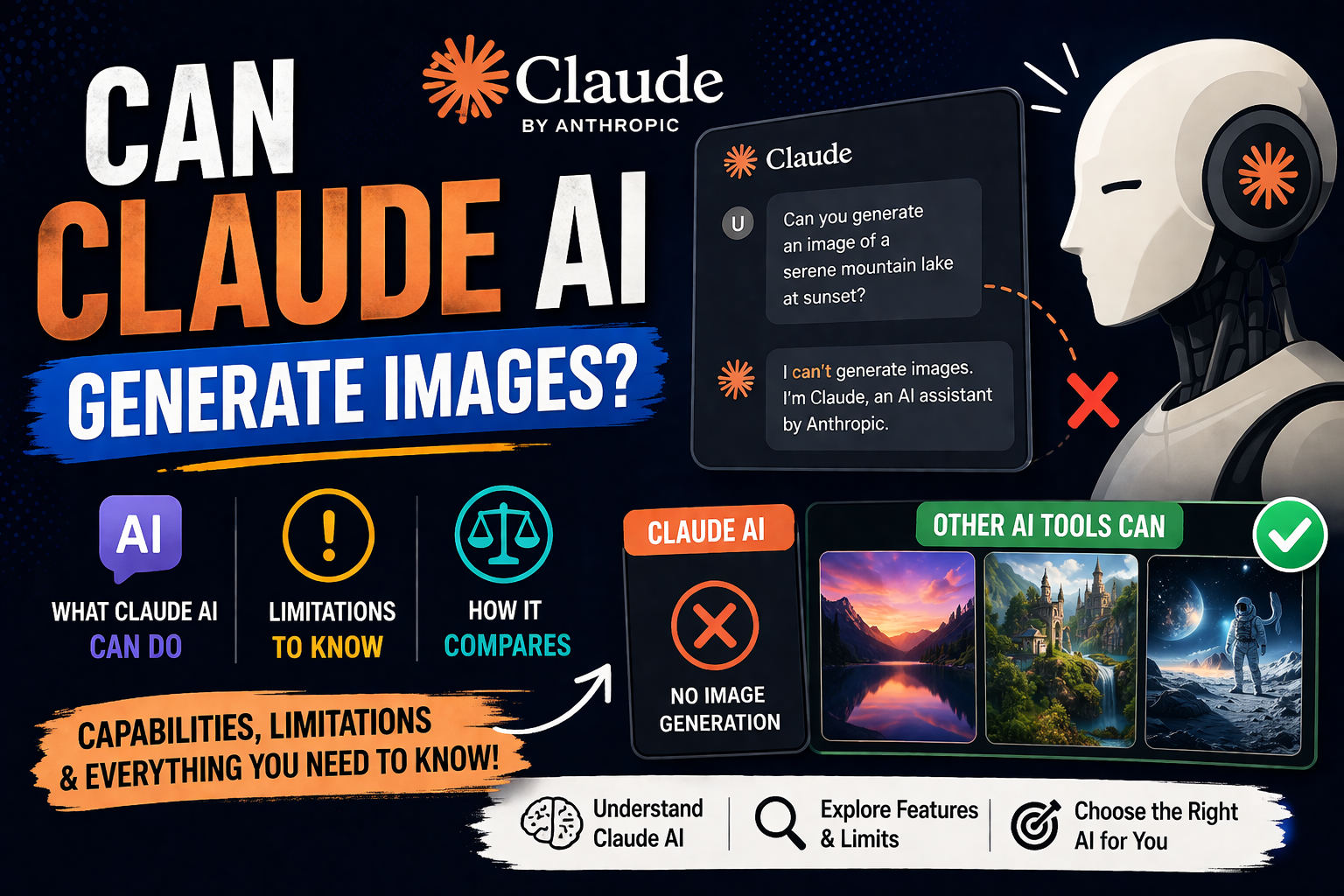
Can Claude AI Generate Images? Find Out How Today
Ever thought your favorite text-based assistant could do more than just write? The digital world is changing fast.
While Claude is mainly for text, you can now create images too. This is thanks to Amplifiers MCP. So, can claude ai generate images? Yes, with the right tools, you can.

We’ll teach you how to use these visual tools easily. Empowering your workflow is now simpler than ever for solo entrepreneurs.
Key Takeaways
- Claude functions mainly as a text-based reasoning model.
- New integrations like Amplifiers MCP allow for visual content creation.
- You don’t need advanced coding skills to use these features.
- The process is easy for small business owners.
- These tools help you save time and boost your creativity.
Understanding the Capabilities of Claude AI
To master your digital workflow, you need to know what Claude AI can do. Anthropic developed Claude, focusing on safe and responsible communication. It aims for high-quality outputs you can rely on for work.
The Core Architecture of Claude
Claude is a Large Language Model (LLM) that processes and generates text like a human. Its deep learning architecture helps it understand context and complex instructions well. Unlike fast, wide-ranging systems, Claude focuses on safety through Constitutional AI.
This approach ensures Claude follows safety guidelines during training. It acts as a reliable partner for your work. You get a system that values logic and consistency over speed.
“The goal of AI development should be to create systems that are not only powerful but also fundamentally aligned with human values and safety.”
Anthropic Research Team
Why Claude Focuses on Text and Reasoning
Claude doesn’t generate images because it focuses on text and reasoning. This strategic choice makes it great at tasks needing deep analysis and structured writing.
It’s excellent at solving logic puzzles, summarizing documents, and writing professional emails. Using Claude means you’re working with a tool optimized for thoughtful execution, not just images.
| Feature | Text-Based AI (Claude) | Multimodal AI |
|---|---|---|
| Primary Strength | Logical Reasoning | Visual Synthesis |
| Best Use Case | Strategy & Writing | Graphic Design |
| Safety Focus | High (Constitutional) | Variable |
| Output Type | Text & Code | Images & Media |
Claude’s sharp focus makes it a powerhouse for business operations. It offers clarity for informed decisions. Leave visual tasks to specialized tools that fit your creative pipeline.
Can Claude AI Generate Images Directly
If you want to create your next masterpiece, you should know how Claude works. Many people ask, can claude ai generate images, hoping for a tool to paint. But Claude is mainly for text processing and logical thinking.
It can’t create images from scratch. It’s a powerful tool, but not an artificial intelligence image creator that makes JPEGs or PNGs directly.
Analyzing the Current Limitations of Claude
Knowing Claude’s limits is key for your work. It’s great at understanding text but can’t create images like a human artist. You won’t find a “generate image” button.
Instead, Claude is good at understanding what you want to create. It sees things through text, not images.
Distinguishing Between Text-to-Image and Text-to-Code
Claude can’t draw but is great at writing code for visuals. This is important for your work. You can ask Claude to write code for SVG, HTML/CSS, or Python scripts.
By writing code, Claude helps you create graphics. You don’t need to be a programmer to make precise, scalable graphics.
The Role of Claude in the Visual Creation Pipeline
Claude is a big help in your creative process. You can upload images and it will analyze them. It can give feedback, extract text, or suggest changes.
This analytical power makes Claude great for improving your visual work. Use it to refine your drafts or brainstorm ideas. This way, your final work will be polished before it’s shared.
Leveraging Claude for Image Prompt Engineering
Think of Claude as your personal creative director for every image generation task. It doesn’t render pixels itself but is unrivaled for prompt engineering because it processes language. By letting Claude handle the description, your instructions will be clear and ready for any generator.
Crafting Detailed Prompts for External Generators
Most AI image tools need specific technical terms to produce great results. Instead of guessing, ask Claude to create a production-ready brief from your ideas. It can add professional camera terms, lighting cues, and color theory to your requests.
When you have a basic idea, tell Claude to include these elements in the prompt:
- Camera settings: Specify lens types like 35mm or macro for depth.
- Lighting conditions: Use terms like “golden hour,” “soft studio lighting,” or “cinematic rim light.”
- Compositional rules: Mention the rule of thirds, symmetry, or wide-angle perspectives.
- Color palettes: Define specific moods through color temperature and saturation levels.
Using Claude to Refine Artistic Styles
Keeping a consistent style in visual design can be hard. Use Claude to keep your aesthetic consistent across projects by creating a “style guide” in your chat session. By showing it examples of your preferred style, you can ask it to rewrite prompts to match that look every time.
“The quality of your output is directly tied to the precision of your input. Treat your AI prompt as a technical blueprint, not a casual suggestion.”
This method removes the guesswork from your creative process. You no longer have to hope for the right texture or artistic flair. Claude ensures every word in your prompt has a purpose in the final image.
Iterative Prompt Development for Better Results
It’s rare for the first prompt to be perfect. A no-nonsense approach to prompt development involves testing and refining. You can paste the output from your image generator back into Claude and ask it to analyze why it missed the mark.
Use this simple loop to improve your results:
- Initial Draft: Ask Claude to generate a detailed prompt from your core idea.
- Generation: Run the prompt through your chosen image tool.
- Feedback: Share the image description or visual flaws with Claude.
- Optimization: Ask Claude to adjust the prompt to fix specific errors or enhance details.
By treating prompt engineering as an evolutionary process, you save time and reduce frustration. This method ensures your visual output remains professional and aligned with your brand vision.
Integrating Claude with External Image Generation Tools
Imagine having a central command center for your writing and visual assets. By linking Claude to specialized platforms, you can turn text prompts into high-quality visuals easily. This makes your ai image generation process smoother, letting you focus on strategy.
Connecting Claude to Midjourney via API Workflows
You can connect Claude to Midjourney using tools like Nano Banana Pro. These tools translate your prompts into images. This setup turns your chat into a powerful design studio.
This link keeps your creative vision consistent. You just provide the context in Claude, and the API handles the image delivery. It’s a reliable way to create images without coding.
Automating Image Creation with DALL-E 3 and Claude
For those who like DALL-E 3, you can use GPT Image 2 for integration. This combo lets you create detailed images from your Claude text. It saves time by keeping brainstorming and production together.
This is great for small business owners needing quick marketing materials. You define your brand voice in Claude, and the integration ensures visuals match. It’s a shortcut for automated image creation at scale.
Using Claude to Write Scripts for Stable Diffusion
For more control, Claude is great at writing scripts for Stable Diffusion. You can ask Claude to create specific Python code or configuration files. This lets you control artistic styles, lighting, and composition.
Even if you’re not a developer, Claude explains these scripts in simple terms. You can then use these instructions in your Stable Diffusion environment. This ai image generation technique adds a professional touch to custom designs.
| Tool Integration | Primary Benefit | Ease of Use |
|---|---|---|
| Nano Banana Pro | Midjourney API Access | High |
| GPT Image 2 | DALL-E 3 Sync | High |
| Stable Diffusion | Custom Scripting | Moderate |
Using Claude Projects to Manage Visual Assets
You can make your creative workflow smoother by keeping all your design assets in Claude. The Projects feature, for Pro, Max, Team, and Enterprise users, turns your workspace into a central hub. This means no more searching through folders or emails for the latest file.
Organizing Creative Briefs within Claude
Good project management starts with clear plans. Upload your creative briefs to a project folder in Claude. This way, every team member can see the project’s scope and goals right away. A centralized approach helps avoid misunderstandings and keeps your creative vision on track.
Maintaining Brand Consistency Across Visual Projects
Keeping your brand consistent is key. Store your style guides, color palettes, and typography rules in Claude. This ensures all your content meets your brand standards. When creating new content or updating designs, you can easily check these documents to keep your unified brand voice across all platforms.
Collaborating on Design Documentation
When your team works from one place, collaboration gets easier. Claude lets you manage design documentation and prototypes together. This makes tracking changes and giving feedback simpler. Your team can focus more on creative innovation and less on admin tasks.
| Feature | Pro/Max | Team/Enterprise |
|---|---|---|
| Project Storage | Standard Capacity | Expanded Capacity |
| Team Collaboration | Limited | Full Integration |
| Brand Asset Sync | Manual | Automated |
| Version Control | Basic | Advanced |
Best Practices for AI Image Synthesis Technology
Learning about image synthesis technology opens doors to top-notch visual content. It lets you control your brand’s digital look. You go from just using it to directing it.

Understanding Neural Network Image Creation Basics
Neural network image creation turns text into pictures. It uses complex patterns to link words to pixels.
When you give a prompt, the model searches its huge data to find images that fit your description. This machine learning image generation makes quick, high-quality visuals. It would take hours to make them by hand.
Ethical Considerations in Automated Image Creation
Using automated image creation means you must think about ethics. Always follow copyright laws and avoid using others’ work without permission.
Check the licensing of your tools for generating images with deep learning. Being open about AI-generated content builds trust. It shows you’re committed to quality.
Optimizing Outputs for Professional Use
To get the best results, keep refining your work. Use deep learning for image generation well by giving clear prompts. This helps the model meet your visual goals.
The table below shows how to tackle different visual tasks for top business results:
| Task Type | Primary Focus | Optimization Strategy |
|---|---|---|
| Brand Assets | Consistency | Use fixed style descriptors |
| Social Media | Engagement | Focus on high-contrast visuals |
| Marketing Collateral | Clarity | Prioritize simple, clean compositions |
| Product Mockups | Realism | Apply detailed lighting prompts |
Following these tips makes your visual strategy effective and powerful. Consistency is the key to a strong digital presence.
Comparing Claude with Multimodal AI Models
It’s important to know the difference between reasoning engines and visual tools. Many platforms try to do everything at once. But, the best creators pick the right tool for the job.
Claude Versus Models with Native Image Generation
Claude is a top reasoning engine. It handles complex tasks and keeps context in mind. Unlike an artificial intelligence image creator, Claude focuses on planning and logic.
Models that create images focus more on looks than logic. They’re great but might not understand your brand or technical needs like Claude does.
When to Choose Claude for Your Creative Workflow
Use Claude for tasks like planning, scriptwriting, or making detailed prompts. It’s perfect for organizing big campaigns or writing technical briefs.
For the final machine learning image generation stage, use specialized tools. This way, your visuals will be top-notch and match your business goals.
Synergizing Text-Based Intelligence with Visual AI
Combining Claude with visual AI is where the magic happens. Claude refines your ideas, then a visual AI model brings them to life.
This mix lets you control your brand while using the latest in visual tech. Here’s how these tools work together in a professional setting.
| Feature | Claude (Reasoning) | Visual AI (Synthesis) |
|---|---|---|
| Primary Strength | Logic & Context | Visual Creation |
| Best Use Case | Strategy & Prompting | Final Asset Rendering |
| Brand Alignment | High (via documentation) | Variable (via style prompts) |
| Workflow Role | Architect | Artist |
Troubleshooting Common Workflow Challenges
Even the most advanced design workflows can hit bumps when using AI tools. You don’t need a big IT team to keep your projects running smoothly. By understanding neural network image creation, you can quickly find and fix common problems.
Resolving Prompt Misinterpretations
Sometimes, the AI doesn’t get what you want because it misinterprets your instructions. This often happens with vague or conflicting prompts. Being clear is key to avoiding these mistakes.
To solve this, break your request into smaller, logical parts. When trying to generate images with deep learning, list the lighting, composition, and color palette separately. If the model still gets it wrong, give a clear example or reference style to guide it.
“The secret to working with AI is not just asking for what you want, but explaining the ‘why’ behind your creative choices.”
Managing Context Windows for Complex Design Tasks
Keeping consistency in a long project is a big challenge. When working on many assets, the AI might forget the style or guidelines. Effective context management keeps your image synthesis technology consistent from start to end.
Keep your project notes short and up-to-date in your chat session. Periodically summarize the design rules to keep the model on track. This simple habit helps prevent the AI from straying from your brand identity.
Overcoming Technical Hurdles in AI Integration
Technical issues can seem scary, but most are just connection or formatting problems. Whether automating workflows or using image synthesis technology, staying organized is crucial. Use the table below to quickly identify and fix common integration errors.
| Issue | Likely Cause | Quick Fix |
|---|---|---|
| API Timeout | High server load | Retry after 30 seconds |
| Format Error | Invalid file type | Check export settings |
| Output Drift | Context window limit | Refresh project summary |
When trying to generate images with deep learning, remember to be patient. If a tool fails, check your connection or clear your cache. Mastering neural network image creation is a journey, and each technical challenge you solve makes your workflows better.
Conclusion
You now have a clear plan to improve your visual content strategy. Wondering if Claude AI can generate images is less important. Its reasoning helps guide your creative process.
Using tools like Midjourney or DALL-E 3 with Claude creates a strong production pipeline. This lets you refine prompts and keep your brand consistent. It saves you hours and keeps your work professional.
The real question is how to use Claude’s text-based strengths to get results. You’re ready to create a smarter, faster workflow that grows with your business. Start using these integrations today to see how they improve your work.
Your journey to efficient automation begins with these steps. Take charge of your design documentation and watch your productivity rise. The right tools will change how you tackle every visual challenge.
FAQ
The Core Architecture of Claude
Anthropic’s Claude is a large language model (LLM) built on a transformer architecture. It’s designed for advanced reasoning and nuance. Unlike models built for machine learning image generation, Claude excels at understanding complex instructions and maintaining a coherent, human-like dialogue. It is a text-centric powerhouse designed to be your most reliable business partner.
Why Claude Focuses on Text and Reasoning
Anthropic prioritized safety, constitutional AI, and high-level logic over native image synthesis technology. By focusing on text-based intelligence, Claude provides you with a tool that doesn’t just guess what you want; it understands the “why” behind your requests. This makes it exceptionally good at strategic planning, coding, and the deep thinking required to run a small business effectively.
Analyzing the Current Limitations of Claude
If you ask Claude to output a JPEG or a PNG file directly, it will politely decline. It does not have a built-in “pencil” to draw pixels natively. This isn’t a failure—it’s a specialization. While you can’t generate images with deep learning directly inside the chat interface as a file download, you can use Claude to analyze visual data you upload or to write the logic for visual assets.
Distinguishing Between Text-to-Image and Text-to-Code
While Claude isn’t an artificial intelligence image creator in the traditional sense, it is a master of text-to-code. For solopreneurs, this is a secret weapon. Claude can write the React or SVG code to generate icons, charts, and UI components on the fly. You aren’t getting a flat image; you are getting functional, scalable code that acts as a visual asset.
The Role of Claude in the Visual Creation Pipeline
Think of Claude as the creative director of your visual pipeline. It handles the strategy, the creative brief, and the feedback loop. By using its vision capabilities, you can upload a rough sketch, and Claude will describe how to turn it into a professional graphic using specialized ai image generation software.
Crafting Detailed Prompts for External Generators
The secret to high-quality automated image creation is the prompt. Claude can take a simple idea like “a modern office” and expand it into a 200-word masterpiece for Midjourney or DALL-E 3. It understands lighting, camera angles, and artistic movements, ensuring your external tools produce exactly what you envisioned.
Using Claude to Refine Artistic Styles
If your brand needs to look like “Bauhaus meets 21st-century tech,” Claude can define that aesthetic for you. It helps you iterate on artistic styles by providing specific keywords that deep learning for image generation models respond to most effectively—saving you hours of trial and error.
Iterative Prompt Development for Better Results
Prompting is rarely a “one and done” process. You can feed your initial results back into Claude, describe what you don’t like, and let the AI adjust the parameters. This iterative approach ensures that your final neural network image creation matches your professional standards perfectly.
Connecting Claude to Midjourney via API Workflows
For those looking to streamline their workflow, you can use Claude to generate the command structures required for Midjourney. By understanding the specific syntax—like aspect ratios and stylization parameters—Claude acts as a bridge, making the transition from a text idea to a visual reality seamless.
Automating Image Creation with DALL-E 3 and Claude
Using platforms like Zapier or Make.com, you can create a workflow where a business brief in Claude automatically triggers an image request in DALL-E 3. This type of automated image creation allows small business owners to scale their social media content without hiring a full-time designer.
Using Claude to Write Scripts for Stable Diffusion
For more technical users, Claude can write Python scripts to interact with Stable Diffusion. This empowers you to leverage machine learning image generation locally on your own hardware, giving you total control over your creative assets without recurring subscription fees.
Organizing Creative Briefs within Claude
The Claude Projects feature is a game-changer for staying organized. You can store all your creative briefs, mood boards, and previous prompts in one central location. This ensures that every time you start a new visual project, Claude already has the context of your brand’s history.
Maintaining Brand Consistency Across Visual Projects
Brand consistency is what separates amateurs from pros. By uploading your brand guidelines to a Claude Project, the AI ensures that every prompt it generates for ai image generation tools adheres to your specific color palettes, tone, and visual language.
Collaborating on Design Documentation
Claude helps you document your design choices. Whether you are building a website or a marketing campaign, Claude can synthesize your visual assets into a coherent style guide. This documentation is invaluable when you eventually scale and bring on new team members.
Understanding Neural Network Image Creation Basics
Image synthesis technology works by predicting patterns of pixels based on vast datasets. When you understand that these models are basically “denoising” an image based on your text, you can write better instructions. Claude can help explain these technical concepts in plain English so you can master the tools of the trade.
Ethical Considerations in Automated Image Creation
As a responsible business owner, you must navigate the ethics of AI. Claude can help you understand the nuances of copyright, data privacy, and the importance of using neural network image creation in a way that respects original creators and follows Anthropic’s safety guidelines.
Optimizing Outputs for Professional Use
Not every AI image is ready for your homepage. Claude can provide advice on upscaling, color correction, and how to use tools like Adobe Firefly to polish your machine learning image generation results, ensuring they meet professional marketing standards.
Claude Versus Models with Native Image Generation
Models like ChatGPT Plus (with DALL-E 3 integrated) or Google Gemini offer one-click image creation. While convenient, they often lack the deep reasoning and nuanced prompt control that Claude provides. Claude focuses on the quality of the “brain” rather than just the “brush.”
When to Choose Claude for Your Creative Workflow
Choose Claude when your project requires high precision, complex brand alignment, or logical consistency. It is the best choice for the “thinking” part of your design process, whereas dedicated artificial intelligence image creators are better for the final “rendering” phase.
Synergizing Text-Based Intelligence with Visual AI
The most effective modern workflow doesn’t use just one tool; it uses a stack. By pairing Claude’s reasoning with Midjourney’s visual fidelity, you get the best of both worlds. We call this “AI synergy,” and it’s how savvy solopreneurs outcompete larger agencies.
Resolving Prompt Misinterpretations
Sometimes the image generator just doesn’t get it. You can paste the description of the failed image back into Claude, and it will analyze where the communication broke down, offering a revised prompt to fix the issue in your ai image generation tool.
Managing Context Windows for Complex Design Tasks
When working on large projects, keeping track of every detail can be tough. Claude’s large context window allows you to feed it entire design specs, ensuring that the automated image creation instructions remain consistent from the first icon to the final landing page.
Overcoming Technical Hurdles in AI Integration
If you’re struggling with API connections or Markdown errors, Claude can troubleshoot the code for you. You don’t need to be a developer; you just need to be able to copy and paste Claude’s solutions into your workflow tools.
Can Claude AI generate images directly within the chat?
No, Claude does not natively generate images with deep learning as a pixel-based file (like a .jpg). It can generate SVG code to create diagrams and icons, and it can act as a world-class prompt engineer for ai image generation tools like Midjourney.
Is there an artificial intelligence image creator integrated into Anthropic’s platform?
Currently, Anthropic has not integrated a native artificial intelligence image creator. They focus on industry-leading text reasoning and safety. To get images, most users leverage Claude’s ability to write highly detailed prompts for external image synthesis technology.
How can I use Claude to help with my machine learning image generation workflow?
You can use Claude to brainstorm visual concepts, write descriptive prompts for DALL-E 3, and analyze your existing images to suggest improvements. It acts as the “brain” that guides your automated image creation process.
Can I use deep learning for image generation by connecting Claude to other apps?
Yes! You can use tools like Zapier, Make.com, or Claude’s MCP (Model Context Protocol) to bridge Claude with machine learning image generation services, allowing you to create a seamless creative pipeline.
Does Claude understand neural network image creation concepts?
Absolutely. Claude is well-versed in the terminology of neural network image creation. It can explain concepts like diffusion, seeds, and CFG scales to help you get the most out of your image synthesis technology.
Can Claude analyze an image if I upload it?
Yes, Claude has powerful vision capabilities. While it can’t generate images, it can look at a photo or graphic you provide and describe it, extract text from it, or tell you how to recreate it using ai image generation tools.
Why should I use Claude for my design prompts instead of writing them myself?
Claude understands the technical nuances that deep learning for image generation models require. It can add specific details about lighting, textures, and artistic styles (like Cyberpunk or Minimalism) that significantly improve the final output of your automated image creation.
