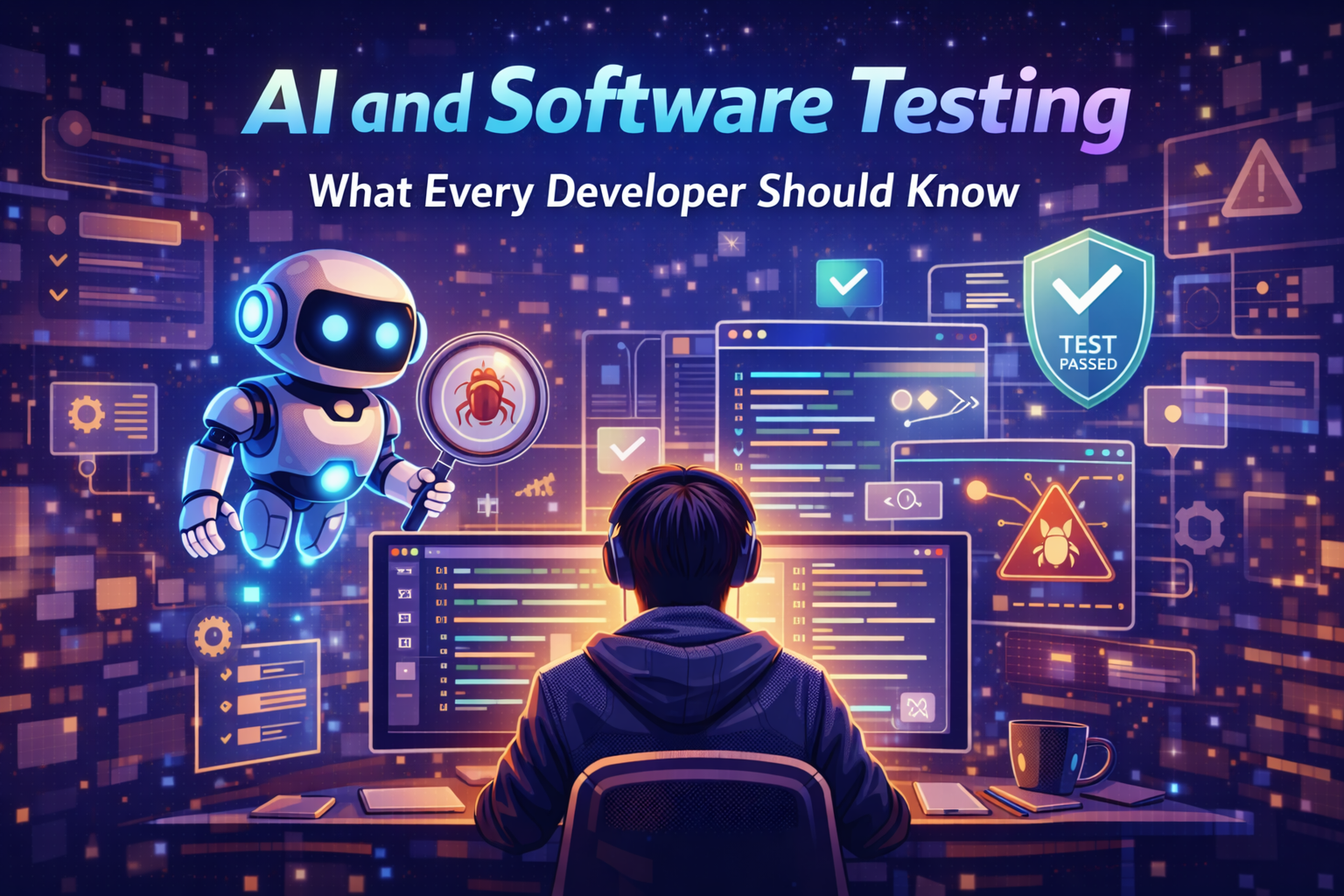
AI and Software Testing: What Every Developer Should Know
Ever thought your development process might be slowing you down? Many solo creators feel stuck in a never-ending cycle of fixing bugs. They think top-notch automation is only for big companies with lots of money.
But the truth is more empowering. Today’s machine learning has changed quality assurance for the better. It’s now within reach for solo creators and small teams.

By using artificial intelligence and software testing, you can save hours and make your product more reliable. You don’t need a huge budget to set up automated workflows that keep your reputation safe.
This guide will clear up the mystery of these powerful tools. It shows how to even the playing field. Let’s dive into making smarter, faster, and more durable digital products today.
Key Takeaways
- Machine learning tools are now affordable for independent developers and small businesses.
- Automated quality assurance helps you reclaim time previously lost to manual debugging.
- You do not need an enterprise budget to implement professional-grade automation.
- Modern tools improve product reliability without requiring complex coding skills.
- Adopting these technologies allows you to compete effectively in a crowded digital market.
The Evolution of Artificial Intelligence and Software Testing
Remember when testing was all about manual clicking and endless data entry? For years, quality assurance depended on human eyes to find bugs before products hit the market. This method was reliable but slow, often holding back developers from releasing updates.
Now, things have changed. The mix of artificial intelligence and software testing has changed how teams ensure quality. It’s turned a tedious task into a smart, efficient process.
Shifting from Manual to Automated Intelligence
The move to automation was not just a trend; it was a must for staying ahead in the fast digital world. 81% of teams now use AI in their testing to meet user needs. This change lets your team focus on solving creative problems, not just checking things.
Automating your systems brings big benefits:
- Increased speed: Tests run all day, every day, without needing humans.
- Better accuracy: Machines don’t get tired or miss things.
- Scalability: You can test thousands of scenarios in the time it took to check one before.
Why Traditional Testing Methods Fall Short
Old methods struggle to keep up with today’s complex code. As apps grow, the number of possible user paths is too big for any team to check manually. That’s where artificial intelligence testing steps in.
Legacy testing faces many challenges:
| Challenge | Manual Impact | AI Solution |
|---|---|---|
| Release Speed | Slow/Delayed | Rapid/Continuous |
| Test Coverage | Limited | Comprehensive |
| Maintenance | High Effort | Self-Healing |
Old scripts break easily when the interface changes, causing constant maintenance headaches. By using artificial intelligence testing, your business can stay ahead, cut down on technical debt, and give your customers a smooth experience every time.
Understanding the Core Concepts of AI Software Testing
You don’t need a computer science degree to understand AI testing. Artificial intelligence in software testing can change how your team checks quality and reliability. It’s now available to small businesses, not just big companies.
Machine Learning Models in Quality Assurance
Machine learning trains algorithms to spot patterns in your software. These models look at past bug data to guess where new errors might pop up. This proactive approach is a big win for small teams.
Studies show 70% of programmers see big benefits from AI coding tools. These tools help spot high-risk areas, letting you focus on what’s most important. You can release your software with greater confidence, without checking every line of code.
Natural Language Processing for Test Script Generation
Natural Language Processing, or NLP, connects human ideas to machine actions. You can describe what you want tested in simple language. The system then turns these ideas into test scripts.
This makes artificial intelligence in software testing more accessible. Even non-tech founders can create strong test suites. Just tell the tool what you want, and it takes care of the rest. It’s an empowering shift for solo entrepreneurs and small businesses.
Setting Up Your Environment for AI for Software Testing
Creating a solid base for ai for software testing is more than just installing new software. You need to make sure your technical setup matches your business goals. This way, your automation efforts will truly add value. A well-set environment is key to your quality assurance strategy.
Selecting the Right AI-Powered Testing Frameworks
Choosing the right framework is crucial for your team’s success. Look for tools that fit well with your current tech stack and offer advanced features. Consider these points when making your choice:
- Scalability: Does the tool grow with your application?
- Ease of Use: Can your team learn it easily without needing a lot of training?
- Community Support: Is there a big community for help when you need it?
“The most effective testing environments are those that prioritize flexibility and integration over sheer feature volume.”
Integrating AI Tools into CI/CD Pipelines
After picking your tools, the next step is to add them to your CI/CD pipelines. This setup lets you run automated quality checks every time you update your code. It helps catch bugs early in the development process.
Gartner says by 2027, 50% of software engineering teams will use software engineering intelligence platforms. Starting with ai for software testing now puts you ahead. A smooth CI/CD pipeline cuts down on manual work and lets your team focus on making better products.
Step-by-Step Guide to Implementing Artificial Intelligence in Software Testing
Starting smart automation in your workflow is simple with a clear plan. You don’t need a big budget to use artificial intelligence in software testing well. Focus on key areas to save time and boost quality.
Step One: Identifying High-Impact Test Cases for Automation
Not all test cases are equal. Focus on tasks that are repetitive, take a lot of time, and often have errors. This way, you get the most value from your efforts.
- Critical User Journeys: Focus on login, checkout, and payment flows.
- Regression Suites: Automate tests that run after every minor code update.
- Data-Heavy Processes: Target forms that require complex input validation.
Step Two: Training Models on Historical Bug Data
Your past mistakes can be very useful. Use them to train your AI models. This makes the AI predictive, not just reactive.
Begin by cleaning up your bug reports and logs. Once they’re organized, your AI can spot likely trouble spots. This way, you can fix issues before they affect users.
Step Three: Executing Self-Healing Test Scripts
Traditional automation struggles with UI changes. Self-healing scripts adapt automatically to these changes. This keeps your tests running smoothly without needing constant manual updates.
When the system notices a change, it uses intelligent object recognition to adjust. This makes your artificial intelligence in software testing reliable and efficient. You can now spend more time on creating new features instead of fixing tests.
Leveraging Artificial Intelligence Testing for Visual Regression
Artificial intelligence testing is changing how we validate visuals. Old methods can’t keep up with today’s fast web development. This leaves teams to manually check every pixel on different screens. With ai for software testing, you can automate these checks and ensure a perfect user experience.
Detecting UI Changes with Computer Vision
Computer vision works like a human eye but faster and more precise. It spots small layout changes, color differences, or overlapping elements that humans might miss. For example, EVERFI saved $1 million a year by cutting testing time from hours to seconds.
This tech doesn’t just look at code changes; it checks the final output as users see it. This way, you’re sure your interface looks the same on all browsers and devices. It’s a great way to keep high standards without adding to your work.
Reducing False Positives in Automated UI Tests
False positives are a big problem in automation. They happen when tests fail due to small, irrelevant changes. Artificial intelligence testing helps by learning what’s a real defect and what’s not.
By cutting down on these false alarms, your team saves time. They can focus on fixing real issues that affect your customers. This is key for a healthy, productive development pipeline.
| Feature | Manual Testing | AI-Driven Testing |
|---|---|---|
| Speed | Slow and manual | Seconds to minutes |
| Accuracy | Prone to human error | High precision |
| False Positives | Frequent | Minimal |
| Scalability | Limited | High |
By using ai for software testing, your team can make better products faster. It’s a wise investment that saves time and improves quality.
Optimizing Test Data Management with AI and Software Testing
Often, the biggest challenge in testing isn’t the code but the data. Managing large datasets while keeping security tight is tough. Luckily, ai software testing offers a smarter way to tackle these issues without slowing down your work.

Generating Synthetic Data for Edge Case Coverage
Old methods often use copies of production databases, which is risky and slow. AI can now create synthetic datasets that match your real data’s stats but don’t include personal info. This lets you test complex scenarios that are hard to set up manually.
Using these fake scenarios, your app stays strong under stress. You can test how it handles odd inputs or lots of traffic without risking customer data. This makes your ai software testing more reliable.
Ensuring Data Privacy and Compliance in Testing
Data privacy is now a must, thanks to laws like GDPR or India’s DPDP Act. Using real data for testing can lead to legal trouble and data breaches. AI tools help keep you safe by hiding or swapping out personal info with fake data.
This way, your team can work without touching private info. It makes sure quality checks and data safety work together. The table below shows why this change is key for today’s teams.
| Feature | Traditional Testing | AI-Driven Testing |
|---|---|---|
| Data Source | Production Clones | Synthetic Generation |
| Privacy Risk | High | Minimal |
| Edge Case Coverage | Limited | Comprehensive |
| Compliance Effort | Manual/Slow | Automated/Fast |
Best Practices for Maintaining AI-Driven Test Suites
Keeping your AI-driven test suite in top shape is just as important as setting it up. Automation speeds things up, but neglect can slow it down. A solid maintenance plan keeps ai and software testing working well for your business.
Monitoring Model Drift and Performance
Model drift happens when the data your AI uses changes, making it less accurate. You need to watch key performance indicators to spot when your models start to fail. Regular monitoring helps you catch these problems early.
Checking your test results often shows if your AI is still up to date. If you see more false negatives, it’s time to update your models. Staying on top of maintenance stops small problems from becoming big delays.
Human-in-the-Loop Strategies for Validation
Even the most advanced AI needs human review to ensure it’s right. Using human-in-the-loop strategies adds context that algorithms might miss. Your team’s input is crucial, guiding the AI in tricky test situations.
This teamwork lets your team check AI results without needing to be tech experts. Reviewing odd results helps the AI learn better for the future. This mix of human insight and AI speed is key to great ai and software testing.
| Maintenance Task | Frequency | Primary Goal |
|---|---|---|
| Model Drift Audit | Monthly | Ensure accuracy |
| Data Set Refresh | Quarterly | Improve relevance |
| Human Validation Review | Weekly | Reduce bias |
| Performance Benchmarking | Bi-weekly | Optimize speed |
Overcoming Common Challenges in AI Software Testing
AI software testing is fast but comes with its own challenges. It requires a new way of thinking. By tackling these issues early, you can make your quality assurance stronger.

Addressing Bias in Testing Algorithms
Algorithms are only as good as the data they use. If your data has biases, your models might favor some users over others. It’s crucial to focus on fairness and inclusivity in your testing.
To avoid these problems, check your data for biases often. Use diverse data to train your models. This way, they learn from a wide range of scenarios, leading to fairer software.
Here are some ways to keep your systems balanced:
| Strategy | Action Item | Goal |
|---|---|---|
| Data Auditing | Review historical logs | Remove bias |
| Diverse Sampling | Include edge cases | Improve coverage |
| Regular Validation | Human-in-the-loop | Ensure accuracy |
Managing the Learning Curve for Development Teams
Switching to AI software testing can be tough for teams used to manual methods. You don’t have to change everything at once. Start small to help your team get used to these tools.
“The greatest barrier to success is the fear of the unknown; education and small, consistent wins are the best antidotes to that hesitation.”
— Industry Expert
Begin with simple projects to let your team try things out. Good documentation and training can make learning easier. When they see the long-term benefits, they’ll be more ready to adapt and innovate.
Conclusion
Intelligent automation is not just for big companies anymore. It’s a must for small business owners who want to grow fast.
Using ai and software testing cuts down on manual work a lot. This lets your team make better products that customers love.
See technology as a key ally in your business growth. Using these tools helps you keep up in today’s fast digital world.
Begin by automating one task that you do over and over. You’ll soon see how ai and software testing change your work for the better.
Post about your experiences with these tools on LinkedIn or Twitter. Your stories can guide other business owners through today’s tech changes.
FAQ
How does artificial intelligence in software testing differ from traditional automated testing?
Traditional testing uses fixed scripts that fail with code changes. Artificial intelligence adapts to changes through machine learning. Tools like Mabl or Testim can find elements even if their details change. This makes testing more flexible and less work.
Do I need advanced coding skills to implement ai software testing in my small business?
No, you don’t need advanced coding skills. AI testing uses Natural Language Processing (NLP). This lets you write test scripts in simple language. It makes quality assurance easier for small teams and solo entrepreneurs.
What exactly is a “self-healing” script in the context of ai and software testing?
Self-healing scripts update themselves when the interface changes. In traditional testing, changes like a renamed button would break the test. AI tools adjust the tests in real-time, saving time on maintenance and bug hunting.
How does computer vision improve visual regression within artificial intelligence testing?
Computer vision lets tools see web pages like humans do. It detects layout changes, color differences, and text overlaps across devices and browsers. Platforms like Applitools ensure a perfect user experience and reduce false positives.
Is it difficult to integrate ai for software testing into my existing CI/CD pipeline?
Integration is easy and fits modern workflows. AI testing frameworks work with tools like GitHub Actions and CircleCI. This means your tests run automatically with new code, protecting your deployment cycle.
How does artificial intelligence and software testing handle data privacy and compliance?
AI uses synthetic test data to protect privacy. It creates fake data that looks real, so you can test without using real customer info. This keeps your software robust and compliant with laws like GDPR.
What should I do if the AI model makes a mistake during the testing process?
Use a “human-in-the-loop” approach. AI is great at finding issues, but humans are needed for complex decisions. By checking the AI’s work and giving feedback, you can improve its accuracy over time.
