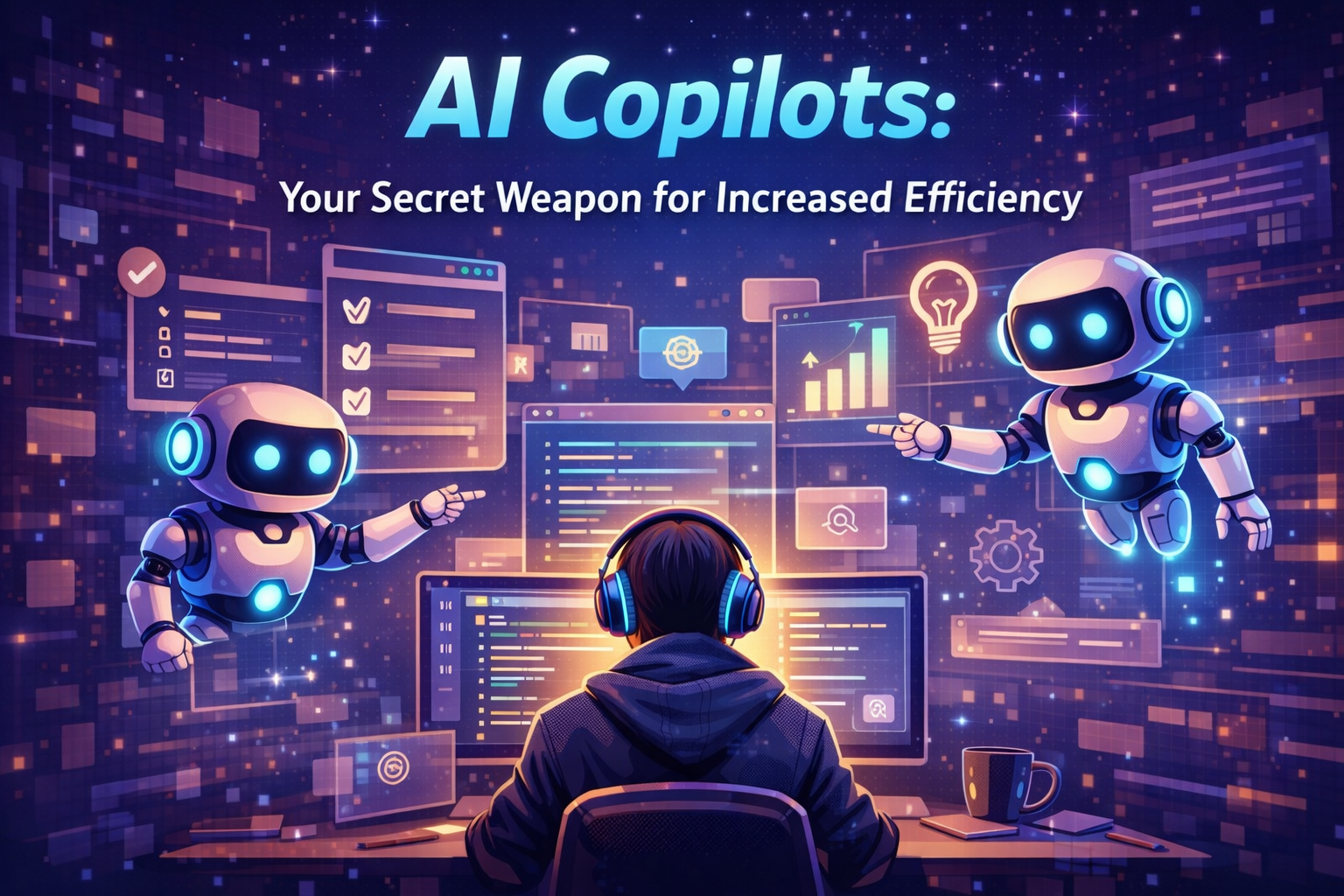
AI Copilots: Your Secret Weapon for Increased Efficiency
Ever thought about how much time you spend on tasks that don’t help your business grow? For many solo entrepreneurs, the dream of growing their business is blocked by endless paperwork.

Now, you don’t need a big budget to get your time back. Modern ai copilots use machine learning and natural language processing to do the hard work for you.
These tools act as a digital partner, understanding your business needs to do complex tasks on their own. By using this tech, you can focus on the important work that drives your business forward.
By using ai copilots, you can work smarter, not harder. It’s time to stop wasting time on busywork and start growing your business.
Key Takeaways
- Automation is now accessible for small business owners and solopreneurs.
- Machine learning and natural language processing handle repetitive, time-consuming tasks.
- Integrating smart technology helps you focus on high-value growth activities.
- You do not need an enterprise budget or coding skills to implement these solutions.
- Reclaiming your time is the most effective way to compete in today’s market.
Understanding the Core Functionality of AI Copilots
To truly master your digital workspace, you must first demystify the technology driving your daily tasks. AI copilots are not just fancy search bars; they are sophisticated engines designed to act as your intelligent partners. By grasping how these systems function, you gain the confidence to delegate complex work to them effectively.
How Large Language Models Power Modern Copilots
At the heart of these tools lie Large Language Models (LLMs), which act as the brain of the operation. These models ingest massive datasets to learn the patterns, structures, and nuances of human language and code. When you interact with ai copilots, they do not simply look up answers in a database.
Instead, they predict the most logical and helpful continuation of your request based on the vast information they have processed. This allows them to generate human-like responses that feel natural and relevant to your specific needs. It is this predictive capability that makes them so effective at handling repetitive or complex professional tasks.
The Evolution from Autocomplete to Context-Aware Assistance
We have moved far beyond the days of simple, static autocomplete features that only suggested the next word in a sentence. Modern ai copilots now possess a deep, context-aware understanding of your entire project. They analyze your previous inputs, current goals, and even the specific style of your business to provide tailored support.
This shift represents a massive leap in productivity for small business owners and freelancers. You are no longer just typing; you are collaborating with a system that understands the intent behind your work. The following table highlights the key differences between legacy tools and modern intelligent assistants.
| Feature | Traditional Tools | Modern AI Copilots |
|---|---|---|
| Data Processing | Static, rule-based | Dynamic, context-aware |
| User Interaction | Command-driven | Conversational partnership |
| Output Quality | Generic templates | Customized, relevant insights |
| Efficiency Level | Basic automation | Advanced, intelligent assistance |
Setting Up Your Environment for AI Integration
Creating a secure and efficient workspace is key to your success with modern automation. Preparing your digital environment correctly helps your tools work together smoothly. This step is crucial for anyone wanting to increase their output without losing quality.
Selecting the Right IDE for Your Workflow
Your Integrated Development Environment (IDE) is your daily task center. The right IDE depends on your coding language, project size, and personal design preference. Most AI tools work well with today’s top platforms.
Here are some top choices to make your development smoother:
- Visual Studio Code: Great for its many extensions and fast performance.
- JetBrains IntelliJ IDEA: Ideal for deep code analysis and strong refactoring tools.
- Cursor: A new, AI-focused editor for an easy, automated experience.
Configuring API Keys and Security Protocols
After picking your platform, securing your data is crucial. Managing your API keys safely is key to a secure connection with AI services. Never put these keys directly in your project files to avoid unauthorized access.
Here are important security protocols to protect your environment:
- Keep sensitive info in a local .env file, not in version control.
- Use environment variables to access your keys, keeping them hidden.
- Change your keys often to reduce risks and control access tightly.
By following these steps, you set up a professional environment for AI integration while safeguarding your work. A careful setup today avoids big problems as your projects grow.
Mastering GitHub AI Tools for Professional Development
Professional developers always look for ways to improve. Using github ai daily can make you code faster and better. It lets you solve problems creatively, not just repeat code.
Optimizing Code Suggestions with GitHub Copilot
To use github ai well, guide the AI with clear names and comments. This makes the AI’s code suggestions better and more relevant. It saves you time and keeps your work flowing smoothly.
Consistency is key with AI suggestions. Check the code carefully to make sure it fits your project. This not only saves time but also helps you learn new things faster.
Refactoring Legacy Codebases Using Intelligent Automation
Working with old code can be a big challenge. But, github ai can help find and fix problems in your code. It makes updating old systems faster, saving you weeks of work.
Automating refactoring gives you more time for new features. You can break down big code into smaller, easier pieces. This keeps your code strong, scalable, and easy to handle for years.
Leveraging GitHub Co Pilot for Students and Academic Success
You can change your learning experience with cutting-edge tech made for the next developers. Using advanced tools early helps you build a strong foundation for a tech career. With github co pilot for students, you focus on the big ideas, not just the code.

Accessing the GitHub Co Pilot Student Benefits Program
Getting into pro software tools is easier than ever. The GitHub Co Pilot student program gives you top features for free. It makes sure money doesn’t stop you from learning and trying new things.
To start, just show your school email. Once you’re in, you can manage your projects and work with others easily. This is a game-changer for computer science students who want to work like pros.
Using Co Pilot AI as a Personalized Coding Tutor
Co pilot ai is more than just code help. It’s a 24/7 mentor. If you’re stuck on a tough problem, it explains it in simple terms. This helps you learn why things work, not just how.
The table below shows how this tech changes your learning from just reading to solving problems:
| Feature | Traditional Learning | AI-Assisted Learning |
|---|---|---|
| Debugging | Manual trial and error | Real-time error analysis |
| Concept Mastery | Searching documentation | Instant contextual explanations |
| Workflow Speed | Slow, manual typing | Rapid, predictive generation |
| Skill Growth | Dependent on office hours | Continuous, self-paced guidance |
Seeing this tool as a tutor boosts your critical thinking. You’ll get better at making code better and faster as you use its advice.
Streamlining Administrative Tasks with AI Copilots
Let intelligent software handle your most tedious tasks. Many entrepreneurs waste time on emails and scheduling. By using co pilot ai, you turn these tasks into automated processes.
Automating Email Drafting and Scheduling
Managing your calendar is now easier. Copilot in Outlook suggests the best meeting times. It even drafts invites, saving you time.
This intelligent automation keeps your communication on track. Just give the context, and co pilot ai creates a professional response. This lets you focus on important decisions, not emails.
Summarizing Long-Form Documentation and Meeting Transcripts
Information overload is common for busy people. Tools now summarize complex documents quickly. This saves you time.
Using co pilot ai for meeting transcripts helps you stay on top. You get key points, tasks, and deadlines fast. This boosts your productivity and keeps you ready for any project.
Advanced Prompt Engineering for Maximum Efficiency
To get the most out of your software, you need to change how you ask for things. Seeing your co pilot ai as a team player, not just a search tool, opens up new possibilities. It’s all about giving clear, direct instructions that avoid confusion.
Structuring Contextual Prompts for Better Outputs
For top-notch results, give the AI all the context it needs before starting. A good prompt outlines your goals, any limits, and the tone you want. Being clear is key when talking to AI.
Imagine your prompt as a detailed brief for a skilled junior. By stating the “who, what, and why” clearly, you make sure the co pilot ai gets your project right from the start. This saves you from dealing with useless or off-target answers.
Iterative Refinement Techniques for Complex Projects
Complex projects often need more than one try, and AI is no exception. See the first output as a starting point that needs strategic refinement. If it’s not perfect, tell the AI exactly what to change, rather than starting over.
By guiding the AI through small, logical steps, you keep control of the process. This back-and-forth helps you fine-tune the output until it’s just right. Learning to give good feedback is the best way to make a co pilot ai a valuable part of your team.
| Prompt Strategy | Basic Approach | Advanced Approach |
|---|---|---|
| Context Setting | Vague request | Detailed project scope |
| Constraint Definition | None provided | Specific formatting rules |
| Refinement Method | Restarting the prompt | Iterative feedback loops |
| Output Quality | Inconsistent results | High-precision co pilot ai output |
Integrating AI Copilots into Collaborative Team Workflows
When your team uses AI tools together, collaboration gets better. Co pilot ai helps everyone work as one. This creates a culture of shared knowledge and growth.
For better results, plan your software stack wisely. You can stack the free version of Copilot with the corporate paid version. This mix boosts productivity by up to 10X. It gives your team easy access and top security.
Standardizing Coding Practices Across Distributed Teams
Keeping a remote team consistent is hard. Different coding styles make managing codebases tough. Intelligent automation can enforce coding standards automatically.
Set co pilot ai to suggest patterns that fit your team’s guide. This lightens the load on developers. It makes sure all pull requests are consistent, improving team work.
Managing Code Reviews with AI-Assisted Insights
Code reviews are key for quality but can slow things down. Co pilot ai offers insights to speed up reviews. It lets your team focus on big ideas, not small details.
AI tools spot bugs and security issues early. This proactive approach saves time. It also helps new developers learn quickly. Everyone can contribute quality code more efficiently.
Overcoming Common Challenges and Limitations
ai copilots are powerful tools that still need your human touch. They can cut down your work, but they’re not perfect. Knowing their limits is key to using them well in your work.

Addressing Hallucinations and Accuracy Concerns
Hallucination is a big challenge. It’s when AI makes up information that seems right but isn’t. Also, too much reliance on AI can lower the quality of your writing.
Studies show that ai copilots can make text harder to read. Scores can drop from 60 to 35 on the Flesch scale. To keep quality high, follow these tips:
- Always check technical data and citations with trusted sources.
- Make sure the AI’s writing fits your brand’s voice.
- Use AI for first drafts, but always review them yourself.
Maintaining Data Privacy in Enterprise Environments
Keeping your data safe is crucial with ai copilots. Be careful about what data you share, as it could be used to train future models. Always check the privacy settings of the platform you’re using.
If you’re dealing with sensitive client data or trade secrets, look for enterprise versions of these tools. These versions have enhanced security to keep your data safe. By being careful, you can use automation without risking your company’s safety.
Future Trends in AI Copilot Technology
To stay ahead in business, keep an eye on ai copilots evolving. The tech world changes fast. Keeping your workflow up-to-date keeps you competitive.
The Shift Toward Multimodal AI Assistants
We’re moving to a world where digital tools understand more than text. Future multimodal systems will handle images, audio, and video. They’ll offer full support for your projects.
Imagine an assistant that watches a screen recording and explains the fix. It listens to your voice too. This mix of senses will make ai copilots feel like real partners.
Predicting the Next Generation of Autonomous Agents
The future is about autonomous agents. These tools will do more than suggest code or emails. They’ll handle complex tasks on their own.
By understanding these trends, you can get ready for the next ai copilots. They’ll make your daily tasks easier. You can then focus on big ideas and solving problems.
Adopting these advancements now keeps your business agile and efficient. As ai copilots get better, you’ll be able to grow without spending more. This will be your biggest strategic asset.
Conclusion
Using AI copilots is a smart move that lets you work smarter and save time. You now know how to use these tools every day to increase your productivity.
Begin by trying out specific features in your work. See how GitHub Copilot or other tools work for you. Small successes can lead to big changes.
Technology changes fast, but your ability to adapt is key. Keep learning as these tools get better. You’re set to lead your field with the help of smart assistants.
Share your progress with your team to encourage innovation. Your path to being more efficient starts with one step. Start improving your work today by using what you’ve learned.
FAQ
How can AI copilots help a small business owner with no coding background?
You don’t need coding skills to benefit from AI copilots. Tools like GitHub AI help with daily tasks. This includes writing emails, summarizing meetings, and organizing your schedule.By automating these tasks, you save hours each week. You can then focus on growing your business and serving your clients.
Is there a way for learners to access these professional tools for free?
Yes, through the GitHub Co Pilot Student Program. It offers free access to GitHub Co Pilot for verified students. This lets you use AI as a tutor, helping you learn complex topics without cost.
Can I rely on GitHub AI to write perfect code or content every time?
GitHub AI is very advanced, but it’s not perfect. It can make mistakes or not match your brand voice. Use it for drafts or outlines, then review the content yourself.
How do AI copilots ensure my business data remains private?
Enterprise-grade AI copilots prioritize your data security. Platforms like GitHub and Microsoft follow strict protocols to protect your information. Always set up your environment correctly and follow security best practices.
What is prompt engineering, and why does it matter for my efficiency?
Prompt engineering is about giving clear instructions. To get the best from AI, provide detailed context. This includes the task, desired tone, and any constraints.Refining your prompts leads to more accurate suggestions. This saves you from making constant manual corrections.
Can ai copilots help my distributed team work better together?
Absolutely. Integrating GitHub Copilot into your team’s workflow standardizes coding and documentation. The AI offers insights during code reviews, helping your team stay aligned.This ensures everyone, no matter where they are, meets your company’s technical standards.
